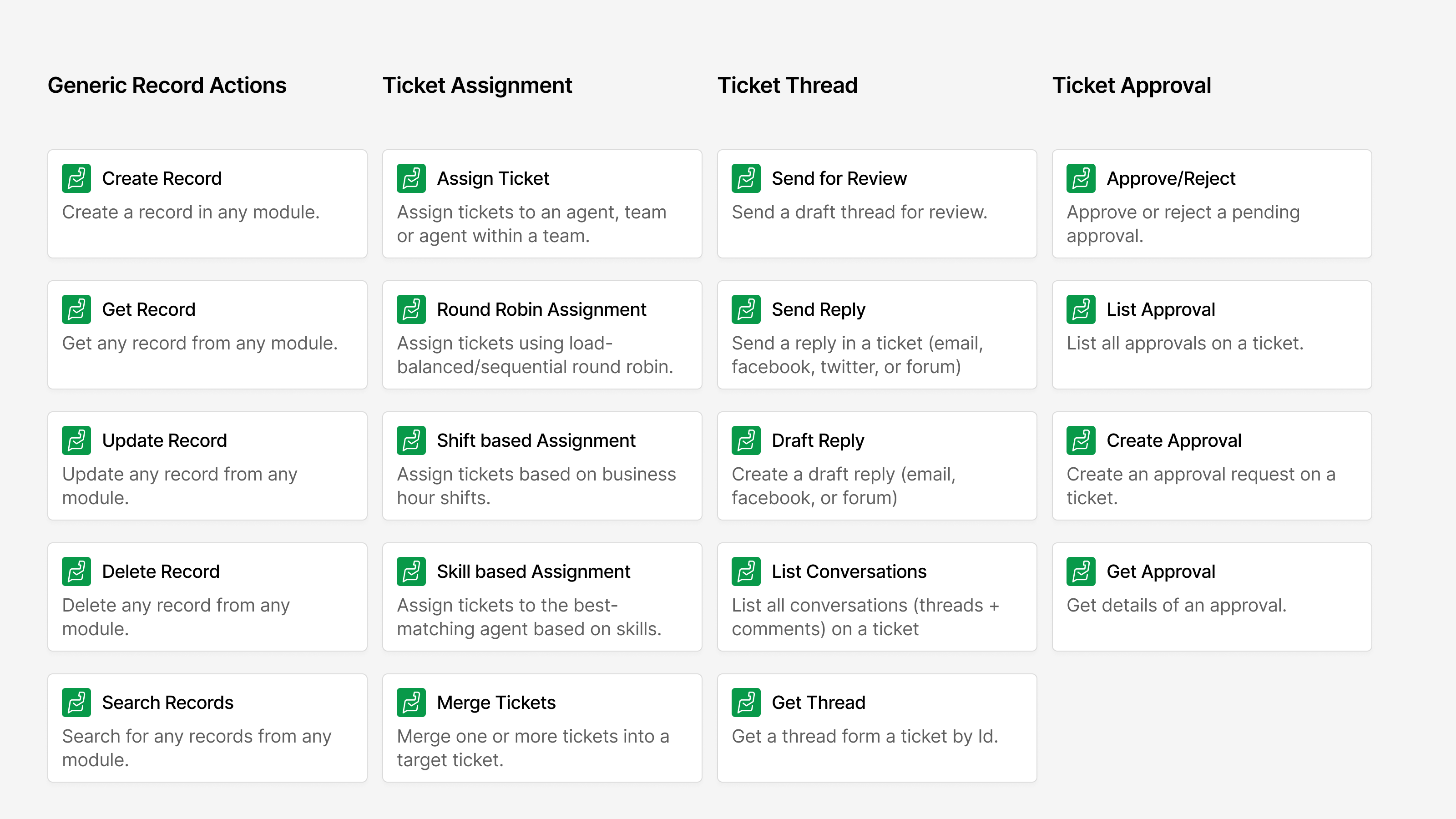
I’ve been working on a lil side project to bring native Zoho Desk actions into n8n.
This project exposes all Zoho Desk events as triggers in n8n and includes more than 100 essential actions, enabling you to build end to end automations without limitations. It is not just a thin API wrapper. The actions are designed to feel intuitive in real workflows. Instead of dealing with IDs, fields automatically resolve the right values from Zoho Desk, and inputs adapt based on context so you only see what is relevant.
Some actions such as round robin assignment, shift based assignment, and skill based routing are stateful. The logic is implemented within the node itself instead of relying purely on APIs, which allows the system to maintain continuity across executions. Here are some of the notable actions.
In this post, we will explore different approaches to automation. We will start with deterministic workflows, then look at how to use built in AI powered nodes to handle specific scenarios. From there, we will move into agentic workflows and build agents tailored to different use cases, followed by guardrails and human in the loop setups where safety and control become critical. Finally, we will explore how to design and run multi agent orchestration.
I have recorded demos for each section. Let’s start with the setup.
The Setup
Deterministic Workflows
Use Cases Covered in the Demo:
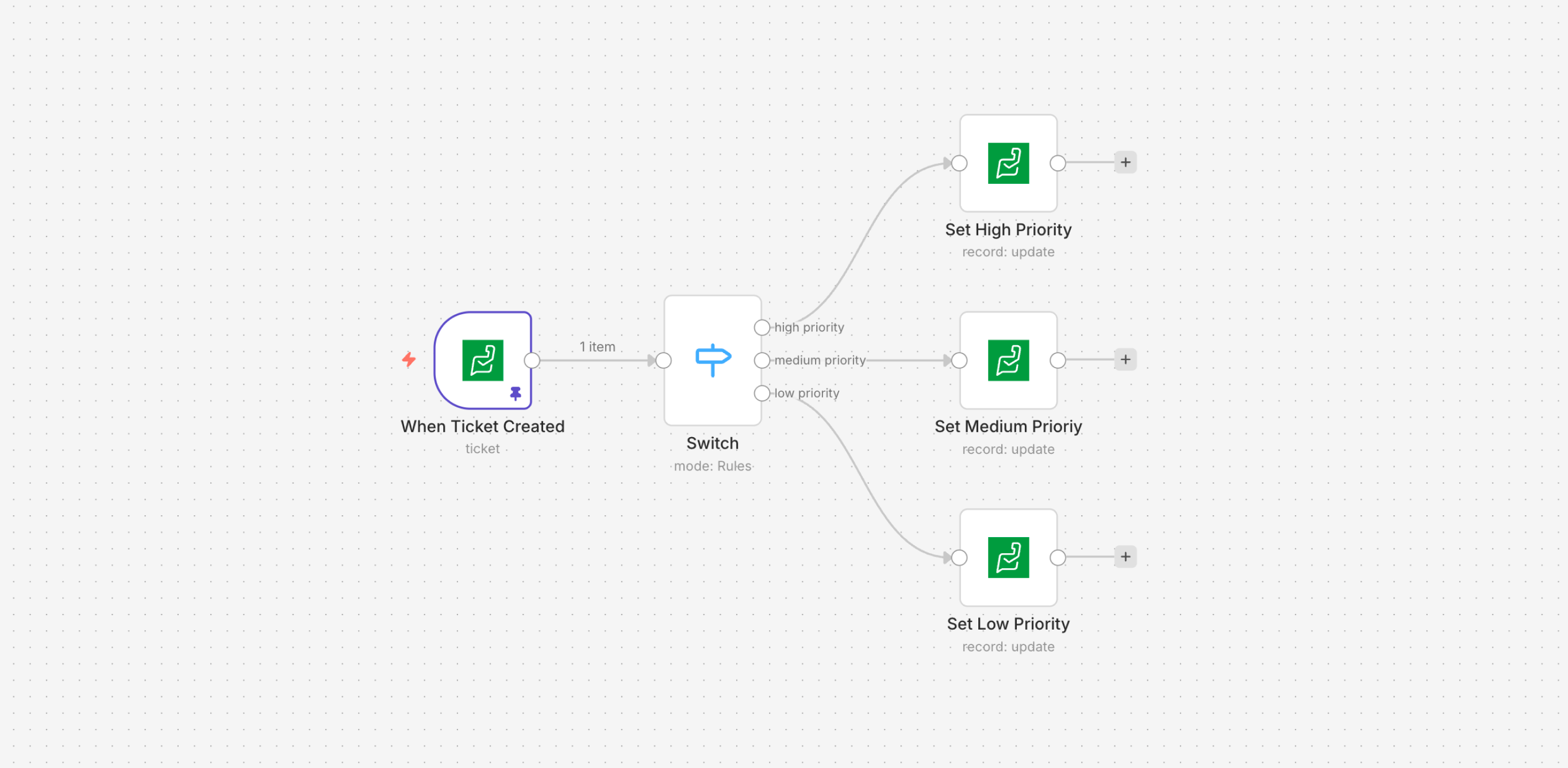
- When a new ticket is created, set the priority based on the due date: High if it’s within 2 days, Medium if within 5 days, and High if beyond 5 days.
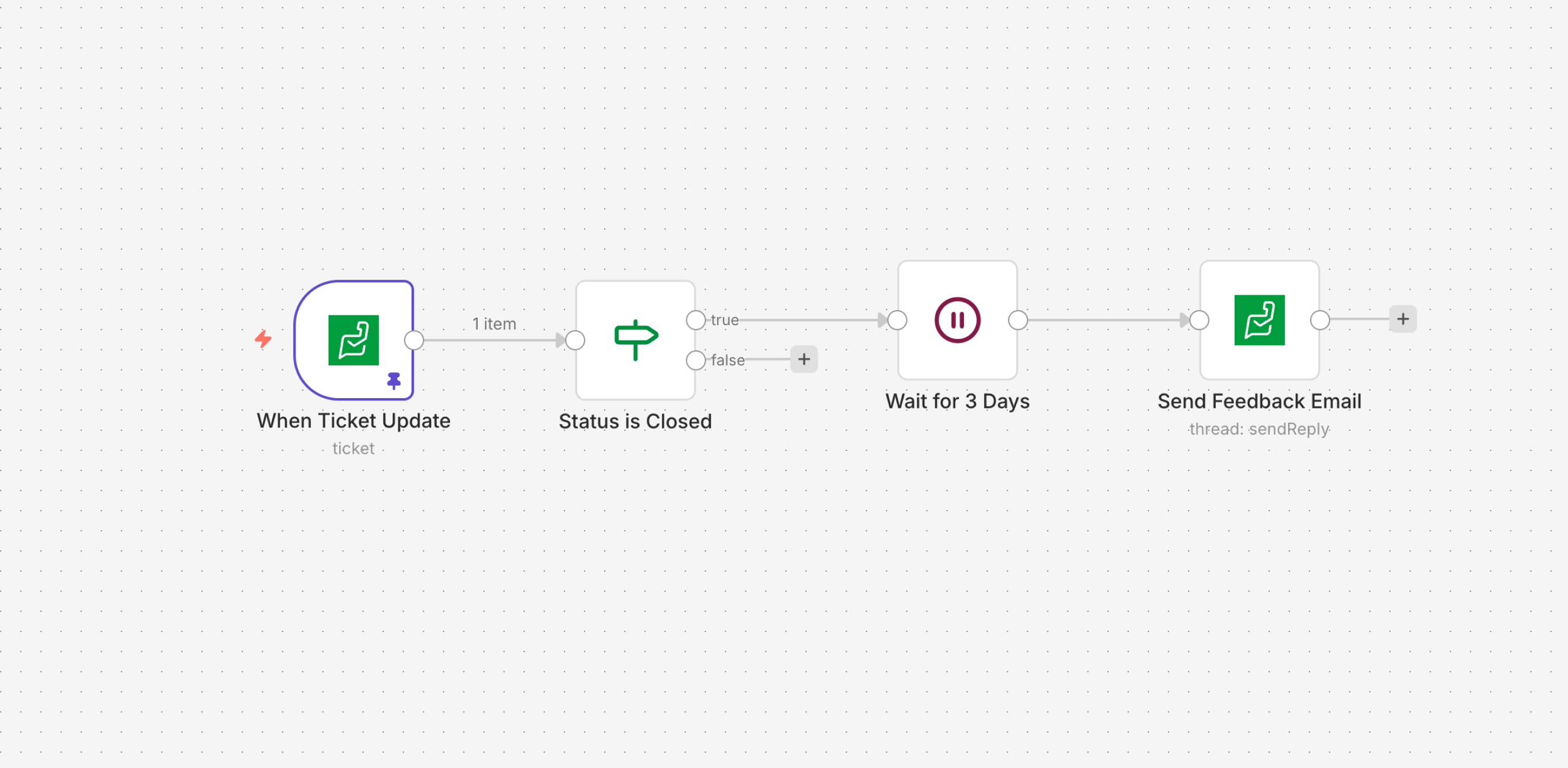
When a ticket is closed, send a feedback email after 3 days.
Send an email to the customer at the specified custom date-time.
Send an email to the customer 5 minutes before the specified custom date-time.
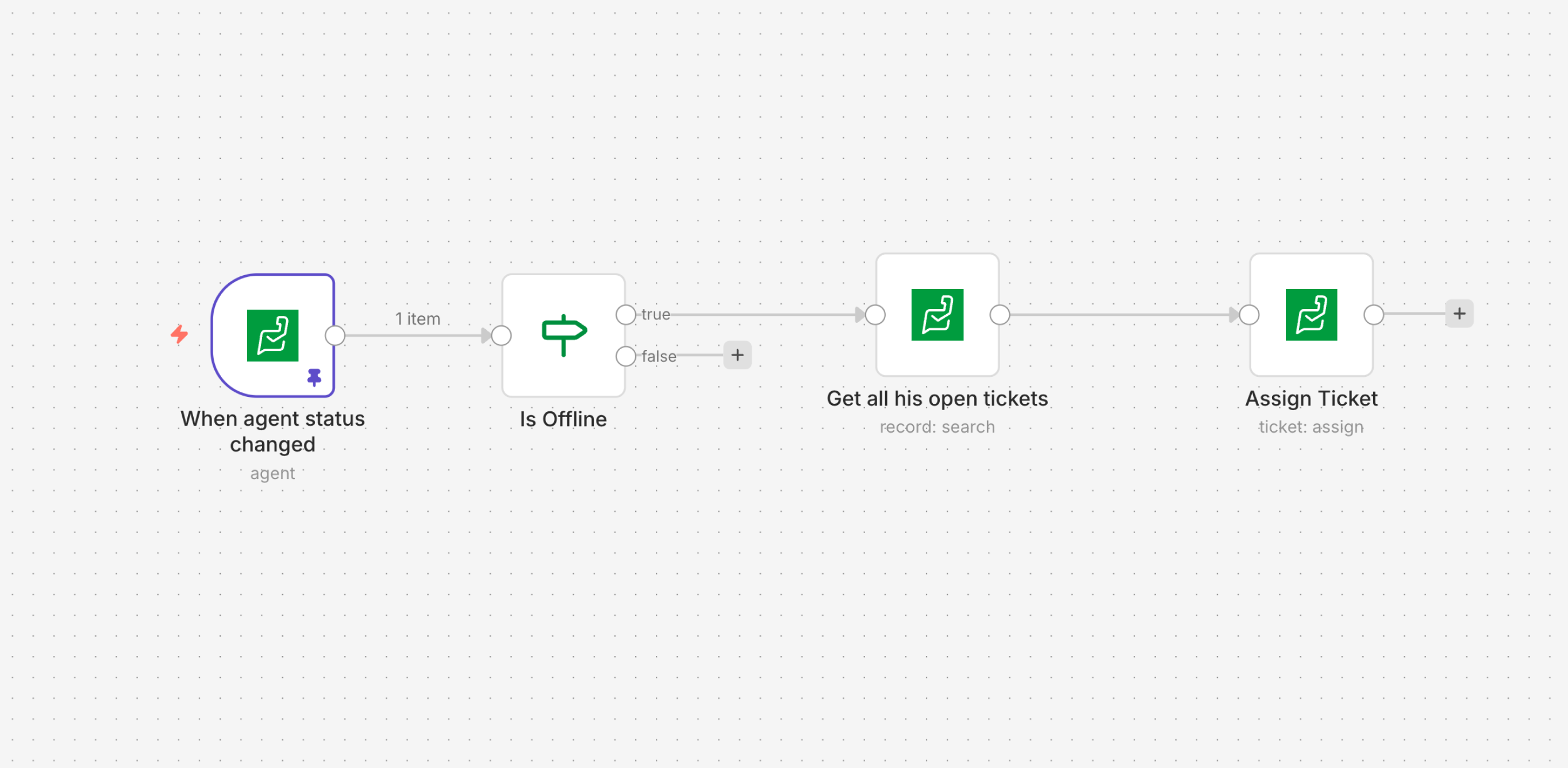
Flow: Scheduled email with a 5-minute reminder When an agent has been offline for 10 minutes, reassign all their tickets to another team.
AI-Powered Nodes
Use Cases Covered in the Demo:
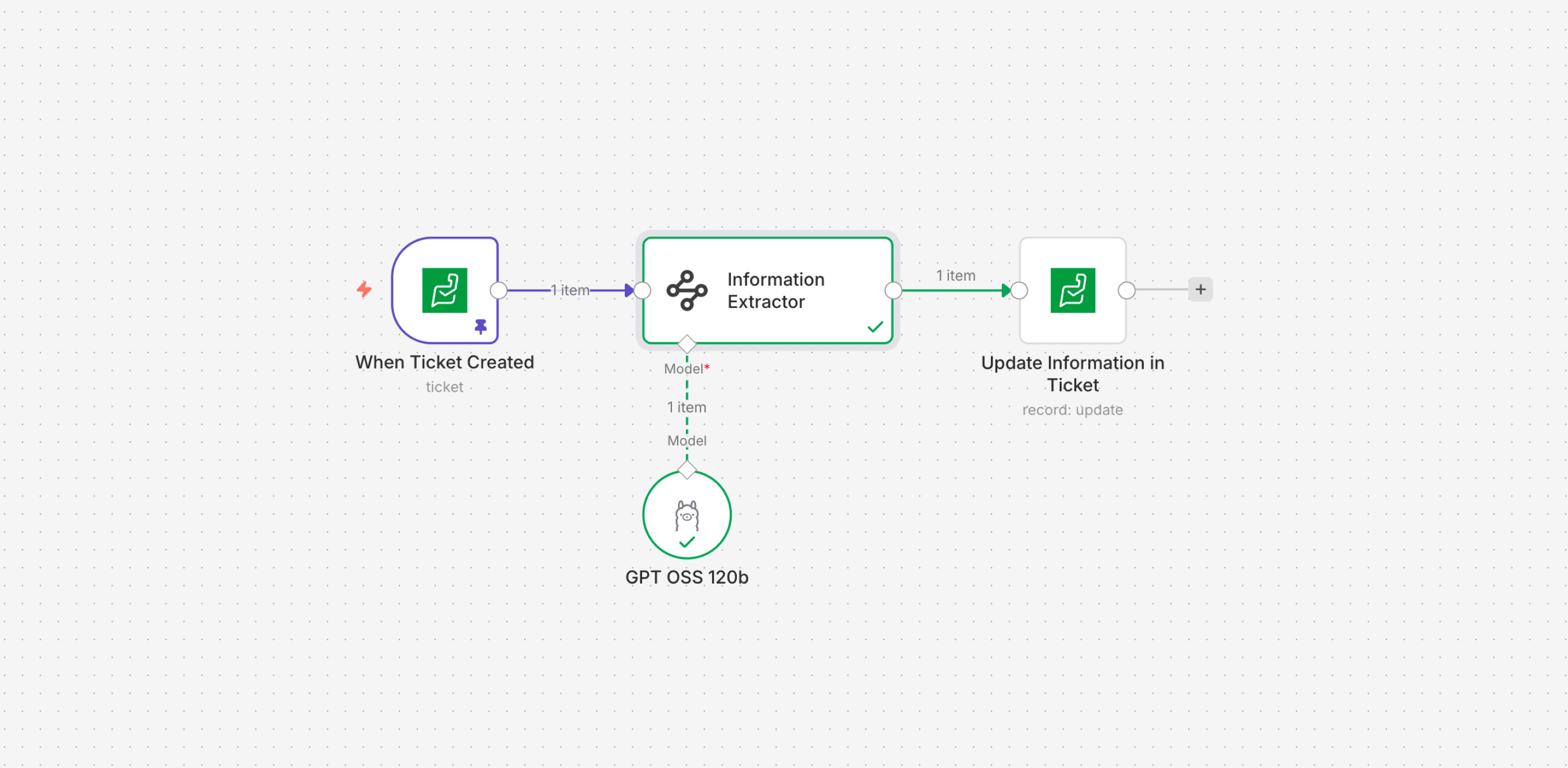
- When a new ticket is created, analyze the incoming thread, extract key information, and automatically populate the relevant ticket fields.
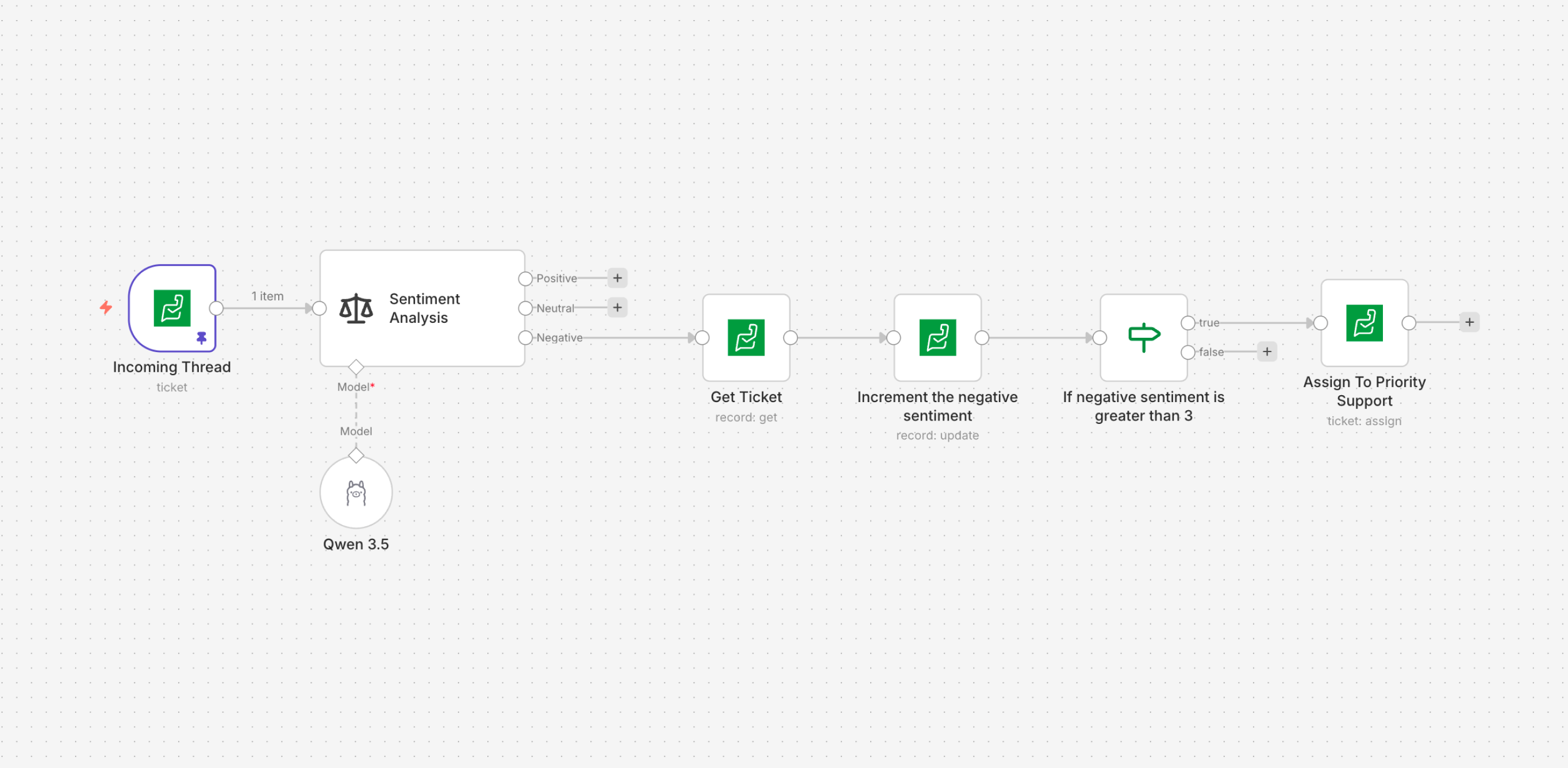
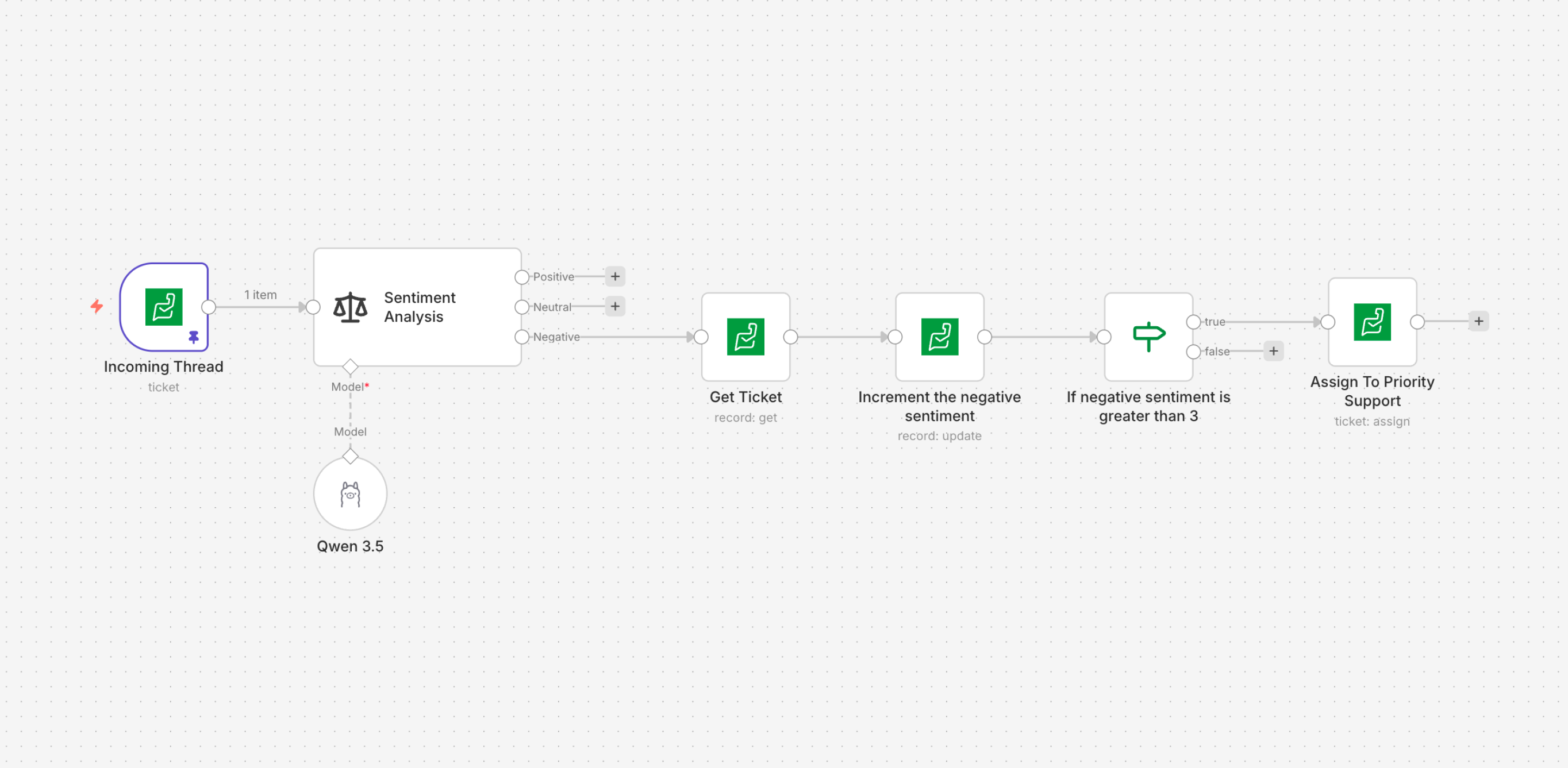
- When a ticket accumulates more than three negative sentiments, escalate it and assign it to the priority support team.
Agentic Workflows
Use Cases Covered in the Demo:
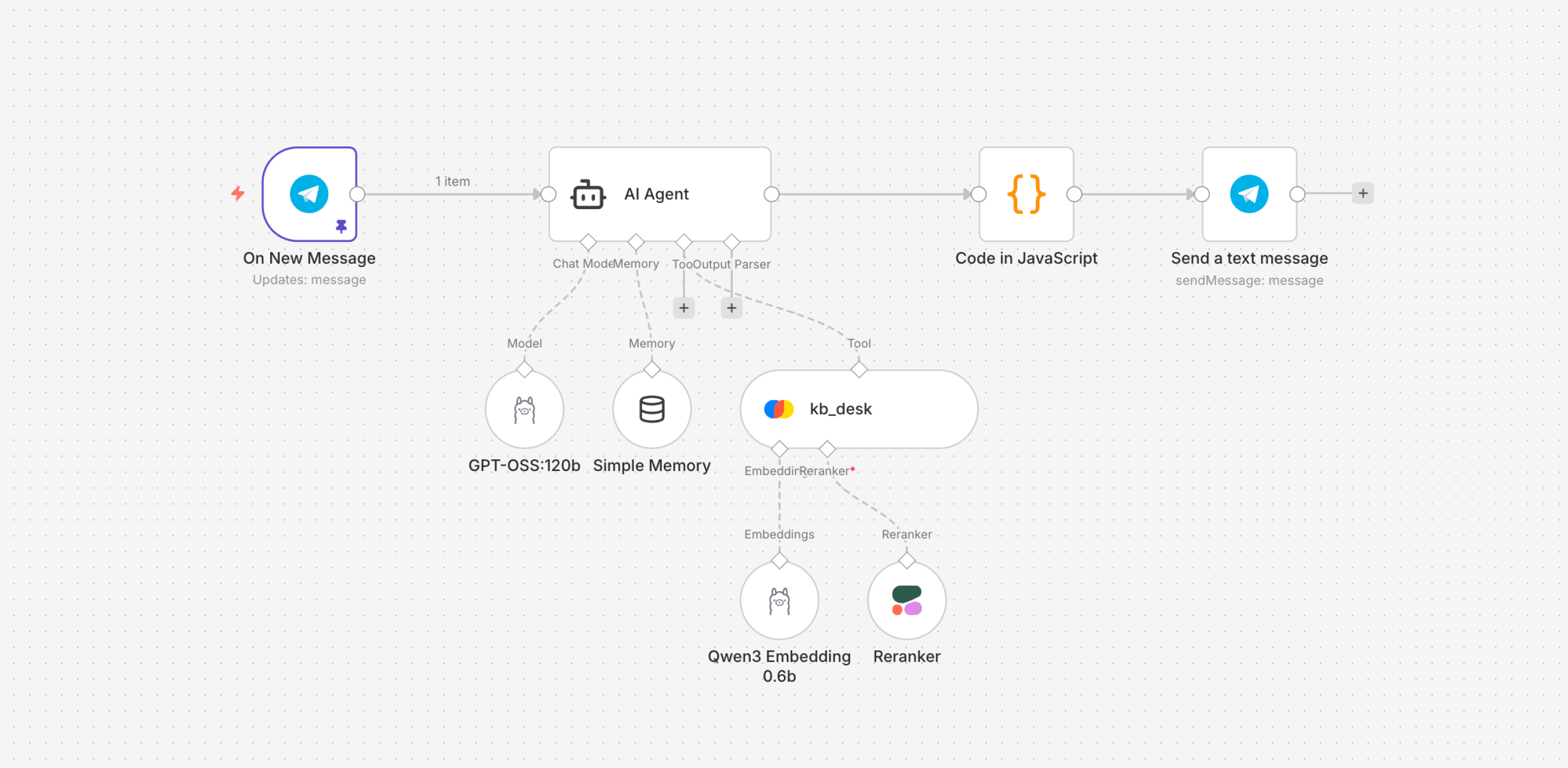
- Creating a help desk chatbot that answers user queries from the knowledge base.
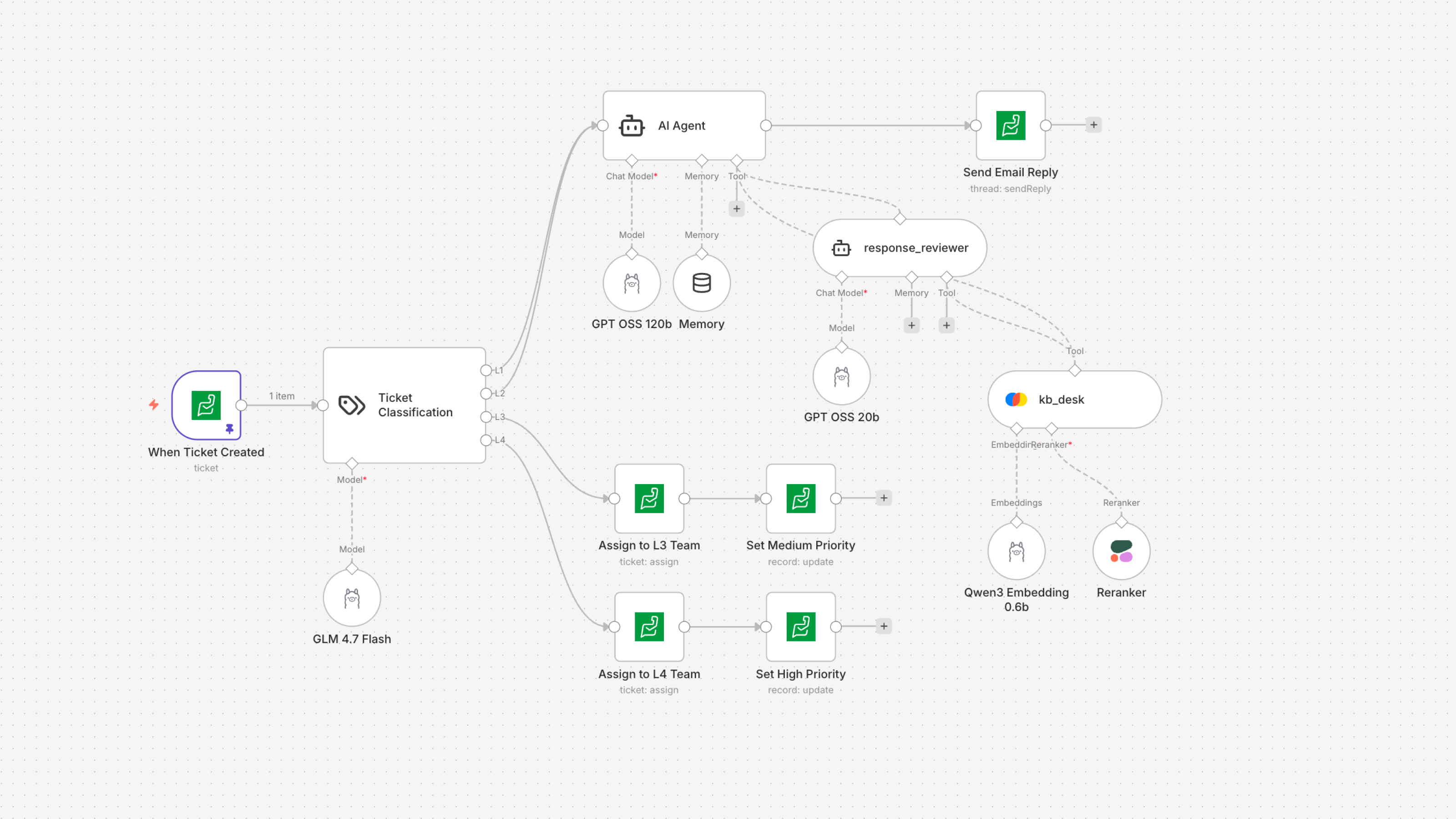
- When a new ticket is created, classify it into L1 to L4. If it falls under L1 or L2, the AI agent automatically responds to the customer. If it falls under L3 or L4, assign it to the appropriate team with the corresponding priority.
Guardrails
Use Cases Covered in the Demo:
- Use guardrails to sanitize PII before sending data to the agent, and apply a post-generation violation check to ensure the output is topically aligned.
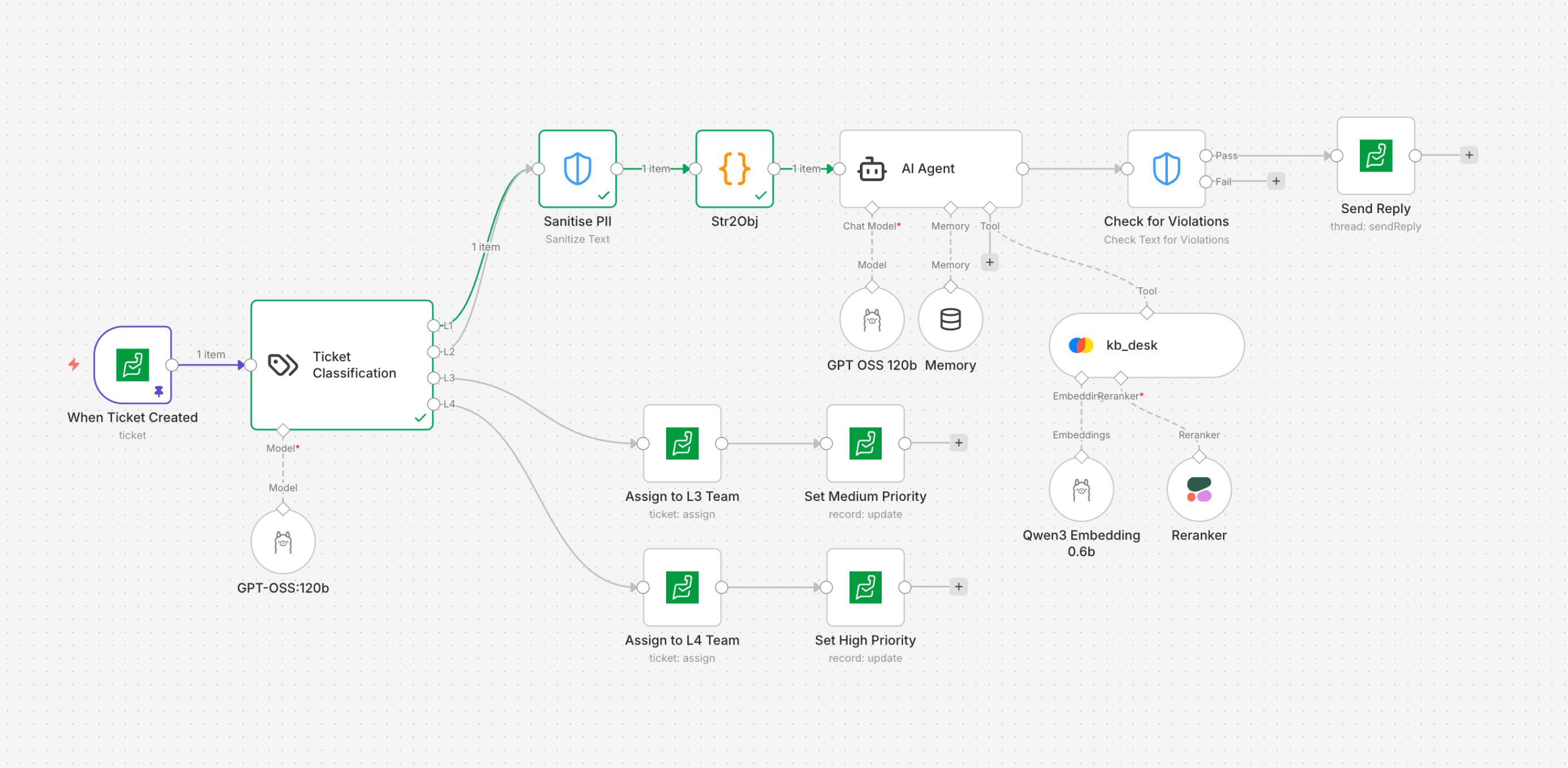
Flow: PII sanitization and violation-check guardrails
Human in the loop
Use Cases Covered in the Demo:
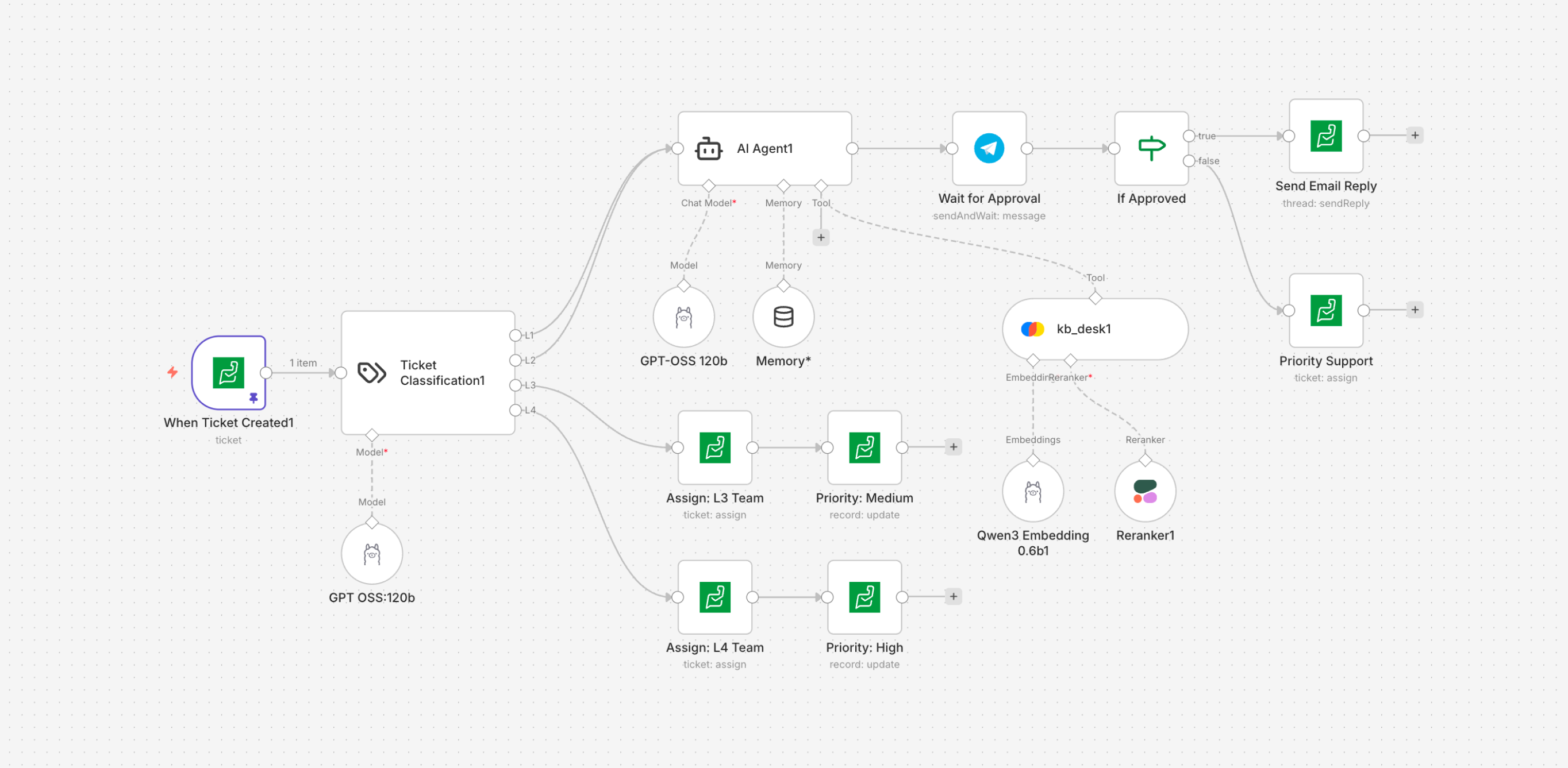
- Implementing a human-in-the-loop verification step by sending the drafted response to a reviewer via Telegram or Zoho Desk approval before delivering the email to the customer.
Multi Agentic Orchestration
Use Cases Covered in the Demo:
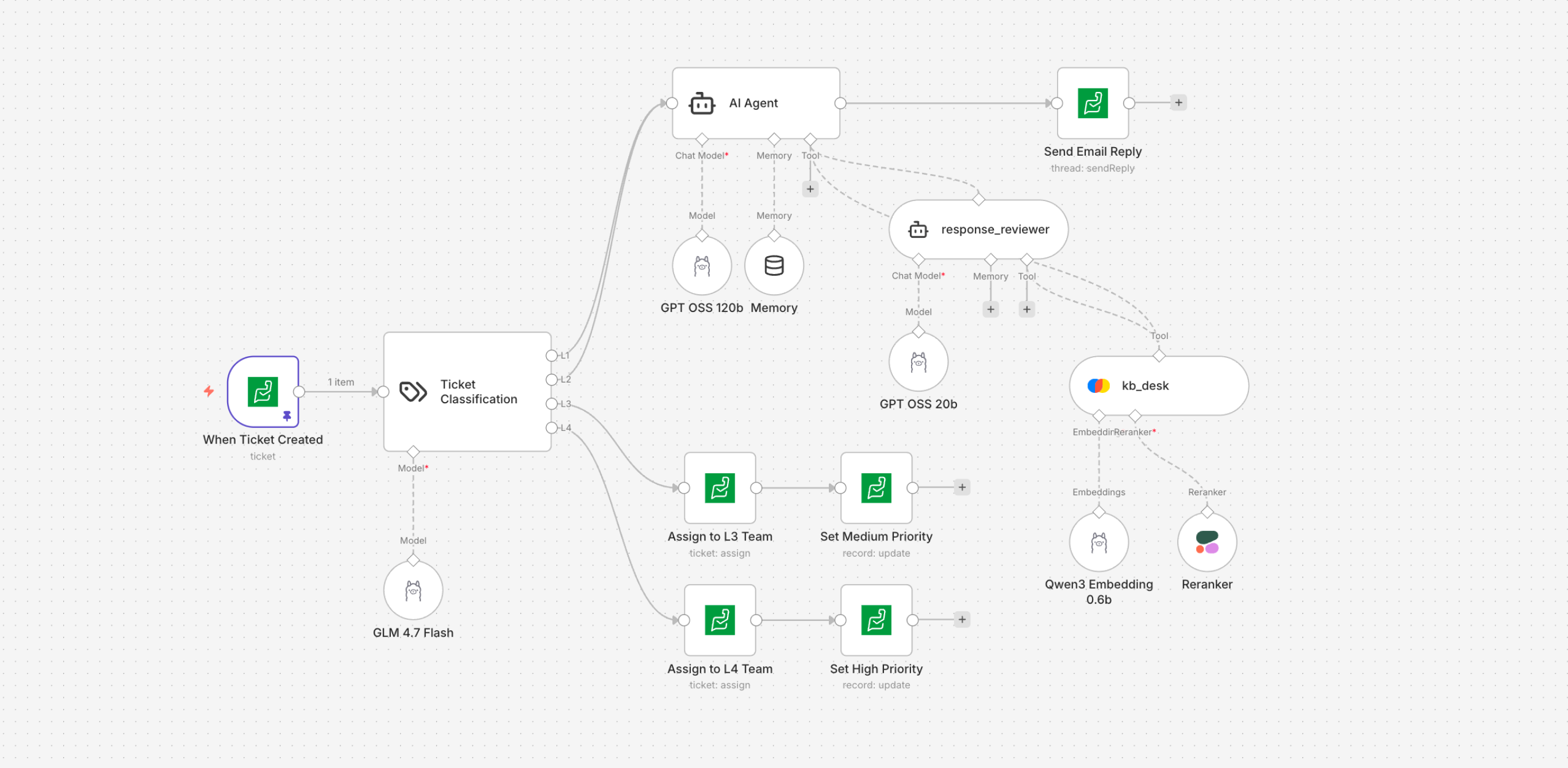
- When a ticket is created, classify it into L1, L2, L3, or L4. If it falls under L1 or L2, the AI agent drafts a response and sends it to a reviewer agent; once approved, the reply is sent to the customer. If it falls under L3 or L4, assign it to the respective team with Medium or High priority.
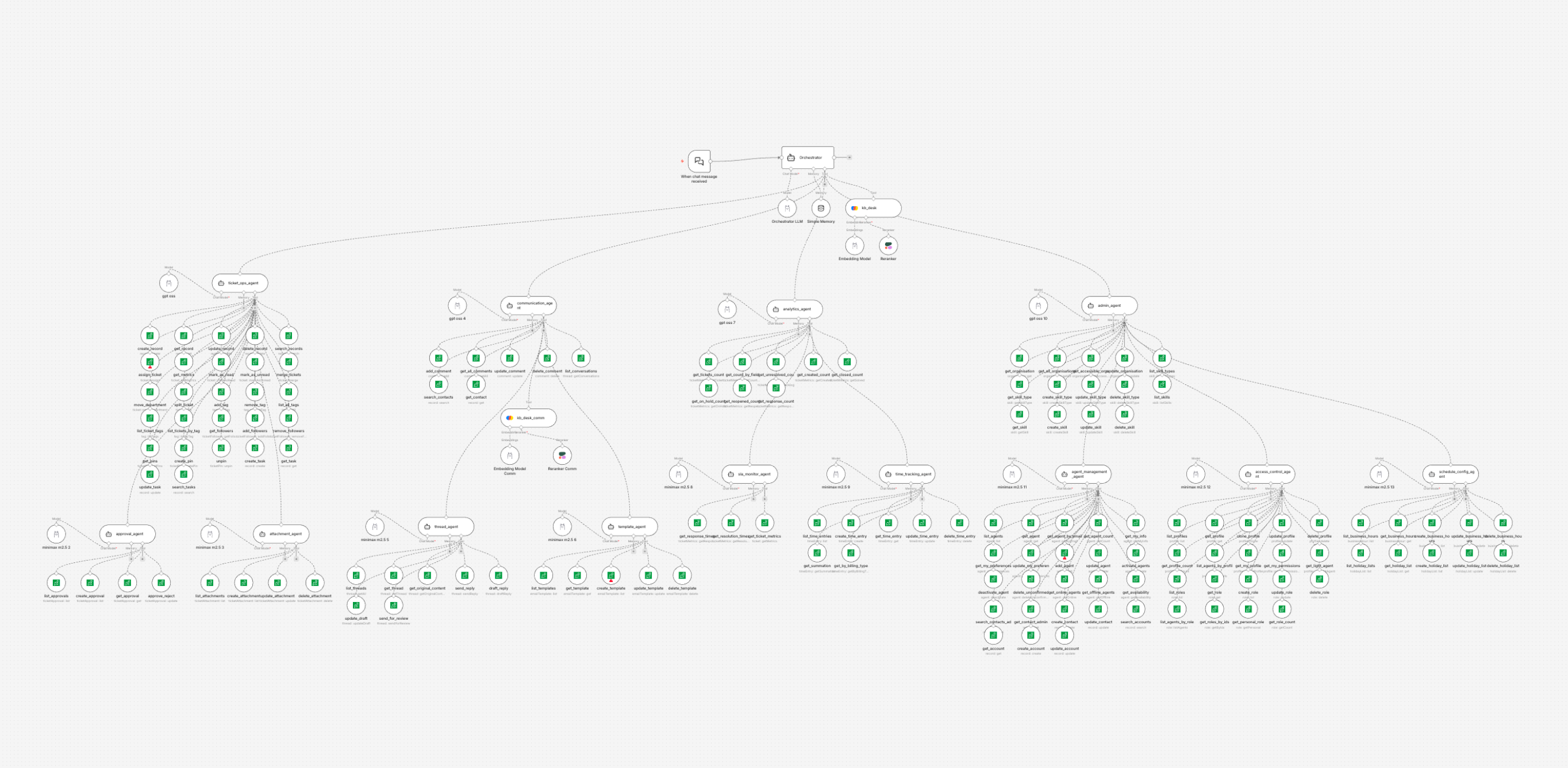
- Find tickets with the same subject, merge them, and send a response to the customer. [It has 14 agents & ~150 actions]
Try it out yourself
You can install this package in your own instance and start building right away.